Memory game maker for the classroom
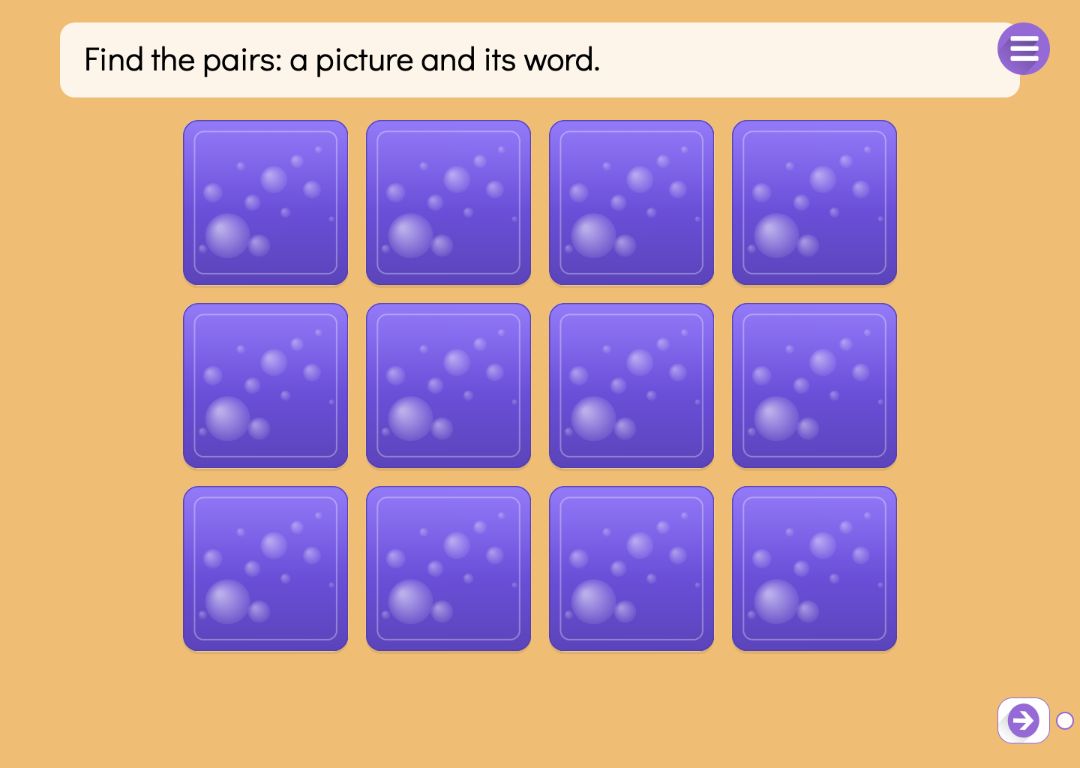
In a memory game the tiles lie face down and the pupil turns over two at a time. If they are a pair, they stay face up. If not, they show for a moment and turn back. The game is done when every pair has been found.
A pair is a picture and its word, or the same picture twice. You pick the pictures from the Puro picture library, and the editor suggests the word for you. A game has two to eight pairs, and the tiles are shuffled before play begins. Afterwards, pupils can sort the same vocabulary into groups in a sorting activity.
Try the exercise
This exercise was made with Puro Editor. Try it yourself – this is exactly what your pupils see.
Picture and word, or two matching pictures
You choose the kind of pair in the page type menu, and you can switch it in the form.
- Picture and word
- The pupil matches a picture to its name: the picture of a cat and the word cat make a pair. It practises vocabulary and recognising words in print.
- Two matching pictures
- There is no text on the tiles at all, so the game works for children who cannot read yet. It trains visual memory and concentration.
Pictures from the Puro picture library
You add the pairs one at a time from the Puro picture library. When you pick a picture, the editor looks up its word in the concept library, and you can edit the word. The same picture cannot appear in two pairs, so every pair is unambiguous.
The tiles are laid out for you: a small game sits in three columns and a larger one in four. There are no sizes or positions to adjust, and next to the form you can see the game as pupils will see it.
Foreign languages: Picture and Word Memory
For language teaching there is a variant where the picture is paired with a word in the language being learned. You can choose English, Swedish, Finnish, Norwegian, German, French, Italian or Spanish, as long as it differs from the language of the story. When you pick a picture, the editor fetches the word in that language from the concept library; if there is none, you type it yourself.
If the library has a recording of the word, it comes along too, and the pupil hears the word when they turn the tile. The meaning of each word is written in the language of the story. Pupils never see it, but it means that only the instruction and the meanings are translated with the story, while the words being learned stay as they are.
When the game is done
On every task page you decide what happens once all the pairs have been found.
- Lock the way forward
- The pupil can move to the next page only after finishing the game.
- Move on or show a message
- A finished game can take the pupil straight to the next page, or show a message such as “Well done!” and play a sound.
- Hint lamp
- After two missed pairs a hint lamp can appear and help the pupil find the next pair, one step at a time.
How to create this exercise
- Choose Memory Game as the page type and the kind of pair: picture and word, or two matching pictures. For a language game, choose Picture and Word Memory and the language being learned.
- Write the instruction — “Find the pairs.”, for example — and record it if you like.
- Add the pairs from the Puro picture library: at least two and up to eight. Check the suggested words and edit them if needed.
- Choose what happens when the game is done, and give the page a background colour or image and, if you like, background music.
Tip: Start with only a few pairs. Four is plenty for a first game: with fewer tiles, the pupil’s attention stays on the words and pictures instead of going entirely on remembering where each tile was.
Frequently asked questions
- Is Puro Editor free?
- Yes. Puro Editor is completely free for teachers, including making and sharing memory games.
- Do pupils need an account?
- No. You publish the game and share the link, and pupils open it in the browser without logging in.
- Does the memory game work on tablets and interactive whiteboards?
- Yes. It runs in the browser with nothing to install, on tablets (iPad and Android), Chromebooks, computers and interactive whiteboards. Tiles are turned with a tap or a mouse click.
- Can I set it as homework?
- Yes. Share the link on your learning platform, class page or by email, and pupils play at home in their browser.
- How many pairs can a memory game have?
- Two to eight pairs, so four to sixteen tiles. The tiles arrange themselves on the page.
- Can I upload my own pictures?
- No. Memory game pictures come from the Puro picture library. The library pictures are linked to concepts, which is how the editor can suggest the word for you.
- Are there ready-made units with a memory game?
- Yes. When you create a new story you can start from the ready-made unit Vocabulary practice. It turns 4–8 words with pictures in 2–3 groups into a memory game, a sorting task, a running game and multiple choice, and finishes with a second memory game for revision.
Subjects: Languages Science and geography History Games
Want to make your own memory game?
Sign up